WaterLog
Make every sip count.
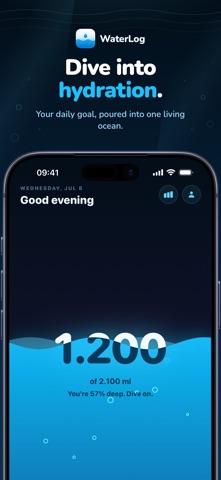
Make drinking enough water part of your daily routine. Log a glass in seconds, set a personal goal, and follow your hydration history. Home Screen widgets, gentle reminders, and Apple Health sync keep your progress close at hand.
What WaterLog does
-
Log a glass in seconds, from the app or a widget.
-
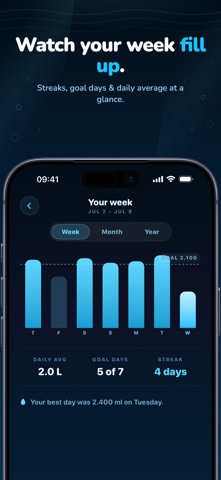
Set a personal goal and follow your hydration history.
-
Keep your water intake in sync with Apple Health.
A closer look
Full App Store description
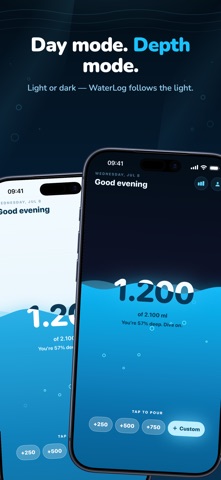
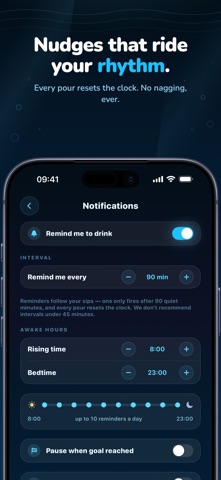
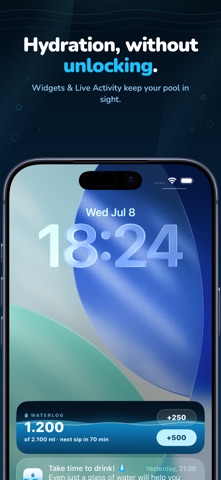
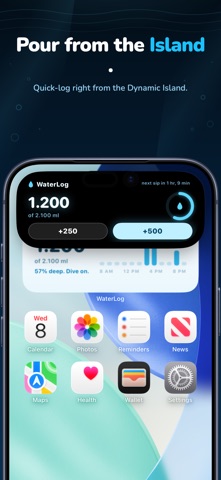
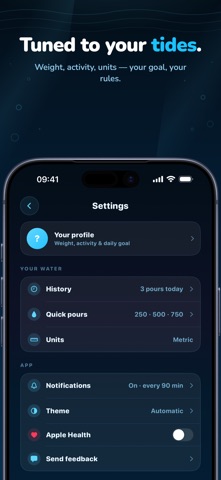
Meet WaterLog: the little hydration companion that makes drinking water feel less like a chore and more like a tiny daily ritual. Watch your water rise, tap in a sip, and let the day flow. Your goal is always in view — in the app, on your Home Screen, on the Lock Screen, and, if you choose, in the Dynamic Island. With WaterLog, you can: - Log water in seconds with customizable quick-pour buttons or a custom amount. - See a beautiful, touch-responsive water surface that moves with your phone. - Build a personalised daily goal based on your profile, or set your own. - Track your history, weekly flow, goal days and hydration streak. - Sync water both ways with Apple Health. - Use Home Screen and Lock Screen widgets to check progress or log a pour without opening the app. - Add a one-tap water control to the Lock Screen, Control Center or Action Button. - Keep progress nearby with an optional Live Activity and Dynamic Island view. - Ask Siri to log a glass, bottle or big bottle. - Receive gentle reminders that adapt to your last sip, your schedule and your completed goal. - Choose your own quick-pour sizes and switch seamlessly between ml and oz. - Make it yours with light, dark or automatic appearance. No guilt. No noisy charts. Just a calmer, more playful way to keep your glass — and your day — moving.
Need help with WaterLog?
Contact support